Practice: image processing#
import numpy as np
import matplotlib.pyplot as plt
We load a example image:
# PIL means Python Image Library
# note: it comes from the Pillow project (https://pillow.readthedocs.io)
from PIL import Image


def face():
    im = Image.open("../common/1024px-Raccoon_procyon_lotor.jpeg")
    return np.array(im)


raccoon = face()
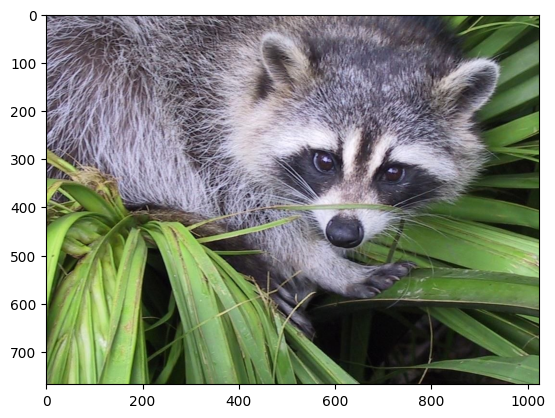
The raccoon face can be shown with
plt.imshow(raccoon);
It is important to know the shape and dtype the raccoon image.
print("shape of raccoon = ", raccoon.shape)
print("dtype of raccoon = ", raccoon.dtype)
shape of raccoon =  (768, 1024, 3)
dtype of raccoon =  uint8
Instructions#
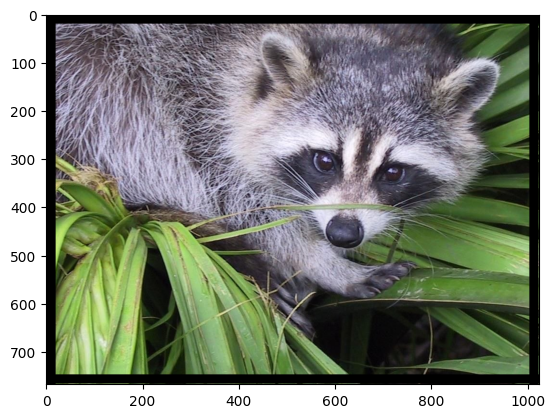
Write a script to generate a border around the raccoon image (for example a 20 pixel size black border; black color code is 0 0 0)
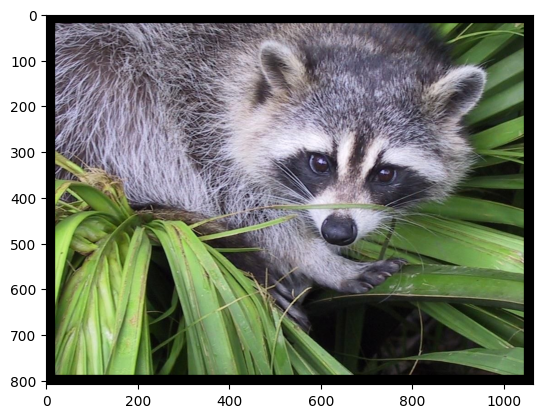
Do it again without losing pixels and generate then a raccoon1 array/image
Mask the face of the raccoon
with a grey square by using NumPy broadcast capabilities (height and width 480, center at location 690, 260 of the raccoon1 image)
with a grey circle (radius 240). Grey color code is for example
(120 120 120).
We propose to smooth the image : the value of a pixel of the smoothed image is the the average of the values of its neighborhood (ie the 8 neighbors + itself). You will have to repeat this process several times for the smoothing to be visible.
Solution 0#
Write a script to generate a border around the raccoon image (for example a 20 pixel size black border; black color code is 0 0 0)
raccoon[0:20, :, :] = 0
raccoon[-20:-1, :, :] = 0
raccoon[:, 0:20, :] = 0
raccoon[:, -20:-1, :] = 0
plt.imshow(raccoon);
Solution 1#
Do it again without losing pixels and generate then a raccoon1 array/image
raccoon = face()
print("shape of raccoon = ", raccoon.shape)
n0, n1, n2 = raccoon.shape
raccoon1 = np.zeros((n0 + 40, n1 + 40, n2), dtype=np.uint8)
raccoon1[20 : 20 + n0, 20 : 20 + n1, :] = raccoon[:, :, :]
print("shape of raccoon1 = ", raccoon1.shape)
shape of raccoon =  (768, 1024, 3)
shape of raccoon1 =  (808, 1064, 3)
plt.imshow(raccoon1);
Solution 2.1#
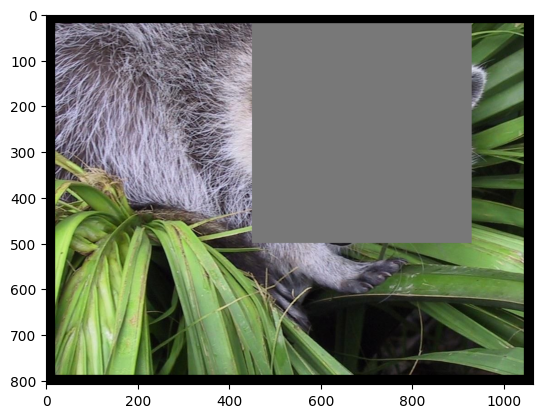
Mask the face of the raccon with a grey square by using NumPy broadcast capabilities (height and width 480)
x_center = 260
y_center = 690
half_size = 240

x_start = x_center - half_size
x_stop = x_center + half_size
y_start = y_center - half_size
y_stop = y_center + half_size

raccoon2a = raccoon1.copy()
raccoon2a[x_start:x_stop, y_start:y_stop] = 120
plt.imshow(raccoon2a);
Solution 2.2#
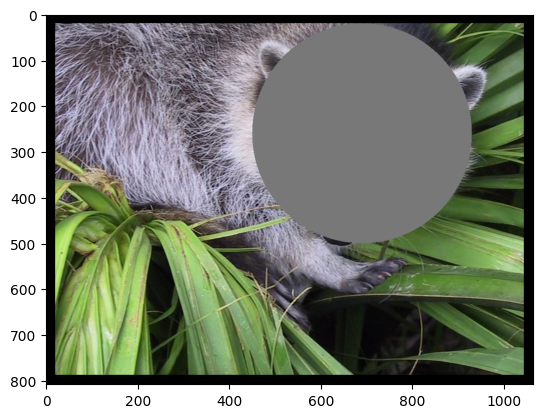
Mask the face of the raccoon with a grey circle (radius 240, center at location 690, 260 of the raccoon1 image; grey color code is for example (120 120 120))
raccoon2b = raccoon1.copy()
radius = 240
x_max, y_max, z = raccoon2b.shape
for i in range(x_max):
    for j in range(y_max):
        if ((j - y_center) ** 2 + (i - x_center) ** 2) <= radius**2:
            raccoon2b[i, j, :] = 120
plt.imshow(raccoon2b);
Solution 3#
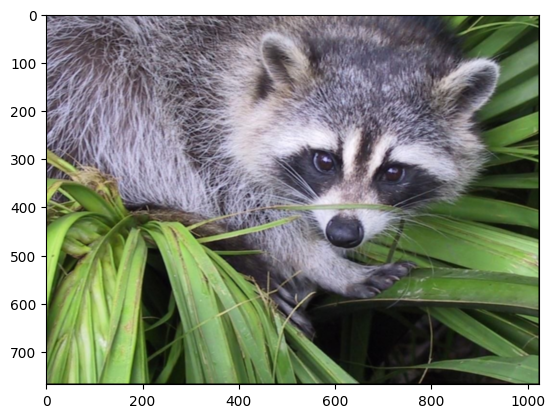
We propose to smooth the image : the value of a pixel of the smoothed image is the the average of the values of its neighborhood (ie the 8 neighbors + itself).
raccoon = face().astype(np.uint16)
n0, n1, n2 = raccoon.shape
raccoon1 = np.zeros((n0, n1, n2), dtype=np.uint8)
for i in range(n0):
    for j in range(n1):
        if (i != 0) and (i != n0 - 1) and (j != 0) and (j != n1 - 1):
            tmp = (
                raccoon[i, j]
                + raccoon[i + 1, j]
                + raccoon[i - 1, j]
                + raccoon[i, j + 1]
                + raccoon[i, j - 1]
                + raccoon[i + 1, j + 1]
                + raccoon[i - 1, j - 1]
                + raccoon[i + 1, j - 1]
                + raccoon[i - 1, j + 1]
            )
            raccoon1[i, j] = tmp / 9
plt.imshow(raccoon1);
Extra :#
Try to optimize (vectorization can be a solution)
You can check what is a “sum area table” (or integral image) https://en.wikipedia.org/wiki/Summed-area_table and how to use it in our example.
compute the area image (check the “cumsum” numpy function)
use it to smooth your image.
Solution extra#
raccoon = face()


def smooth_loop(method, niter, img):
    for i in range(niter):
        img = method(img)
    return img
def smooth(img):
    img = img.astype(np.uint16)
    n0, n1, n2 = img.shape
    img1 = np.zeros((n0, n1, n2), dtype=np.uint16)
    for i in range(n0):
        for j in range(n1):
            if (i != 0) and (i != n0 - 1) and (j != 0) and (j != n1 - 1):
                tmp = (
                    img[i, j]
                    + img[i + 1, j]
                    + img[i - 1, j]
                    + img[i, j + 1]
                    + img[i, j - 1]
                    + img[i + 1, j + 1]
                    + img[i - 1, j - 1]
                    + img[i + 1, j - 1]
                    + img[i - 1, j + 1]
                )
                img1[i, j] = tmp / 9
    return img1.astype(np.uint8)
raccoon = face()
smooth_loop(smooth, 1, raccoon);
def smooth1(img):
    img = img.astype(np.uint16)
    n0, n1, n2 = img.shape
    img1 = np.zeros((n0, n1, n2), dtype=np.uint16)
    img1[1 : n0 - 1, 1 : n1 - 1] = (
        img[1 : n0 - 1, 1 : n1 - 1]
        + img[2:n0, 1 : n1 - 1]
        + img[0 : n0 - 2, 1 : n1 - 1]
        + img[1 : n0 - 1, 2:n1]
        + img[1 : n0 - 1, 0 : n1 - 2]
        + img[2:n0, 2:n1]
        + img[0 : n0 - 2, 0 : n1 - 2]
        + img[2:n0, 0 : n1 - 2]
        + img[0 : n0 - 2, 2:n1]
    )
    img1 = img1 / 9
    return img1.astype(np.uint8)
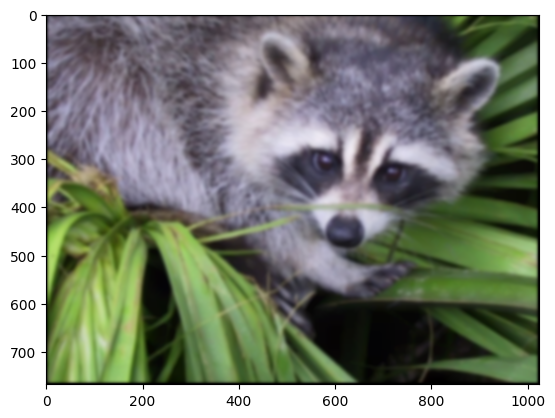
raccoon_smooth = smooth_loop(smooth1, 20, raccoon)
plt.imshow(raccoon_smooth);
raccoon = face()
smooth_loop(smooth1, 10, raccoon);
from scipy import signal


def smooth2(img):
    img = img.astype(np.uint16)
    square8 = np.ones((3, 3), dtype=np.uint16)
    for i in range(3):
        img[:, :, i] = signal.fftconvolve(img[:, :, i], square8, mode="same") / 9
    return img.astype(np.uint8)
smooth_loop(smooth2, 10, raccoon);
def smooth3(img):
    img = img.astype(np.uint16)
    n0, n1, n2 = img.shape
    img1 = np.zeros((n0, n1, n2), dtype=np.uint16)
    square8 = np.ones((3, 3), dtype=np.uint16)
    for i in range(3):
        img1[:, :, i] = signal.convolve2d(img[:, :, i], square8, mode="same") / 9
    return img1.astype(np.uint8)
smooth_loop(smooth3, 10, raccoon);
def smooth4(img):
    img = img.astype(np.uint16)
    n0, n1, n2 = img.shape
    img1 = np.zeros((n0, n1, n2), dtype=np.uint16)
    sum_area = np.cumsum(np.cumsum(img, axis=0), axis=1)
    img1[2 : n0 - 1, 2 : n1 - 1] = (
        sum_area[3:n0, 3:n1]
        + sum_area[0 : n0 - 3, 0 : n1 - 3]
        - sum_area[3:n0, 0 : n1 - 3]
        - sum_area[0 : n0 - 3, 3:n1]
    )
    img1 = img1 / 9
    return img1.astype(np.uint8)
smooth_loop(smooth4, 10, raccoon);